Token Security · Identity security · AI
Turning an AI app builder into part of the platform
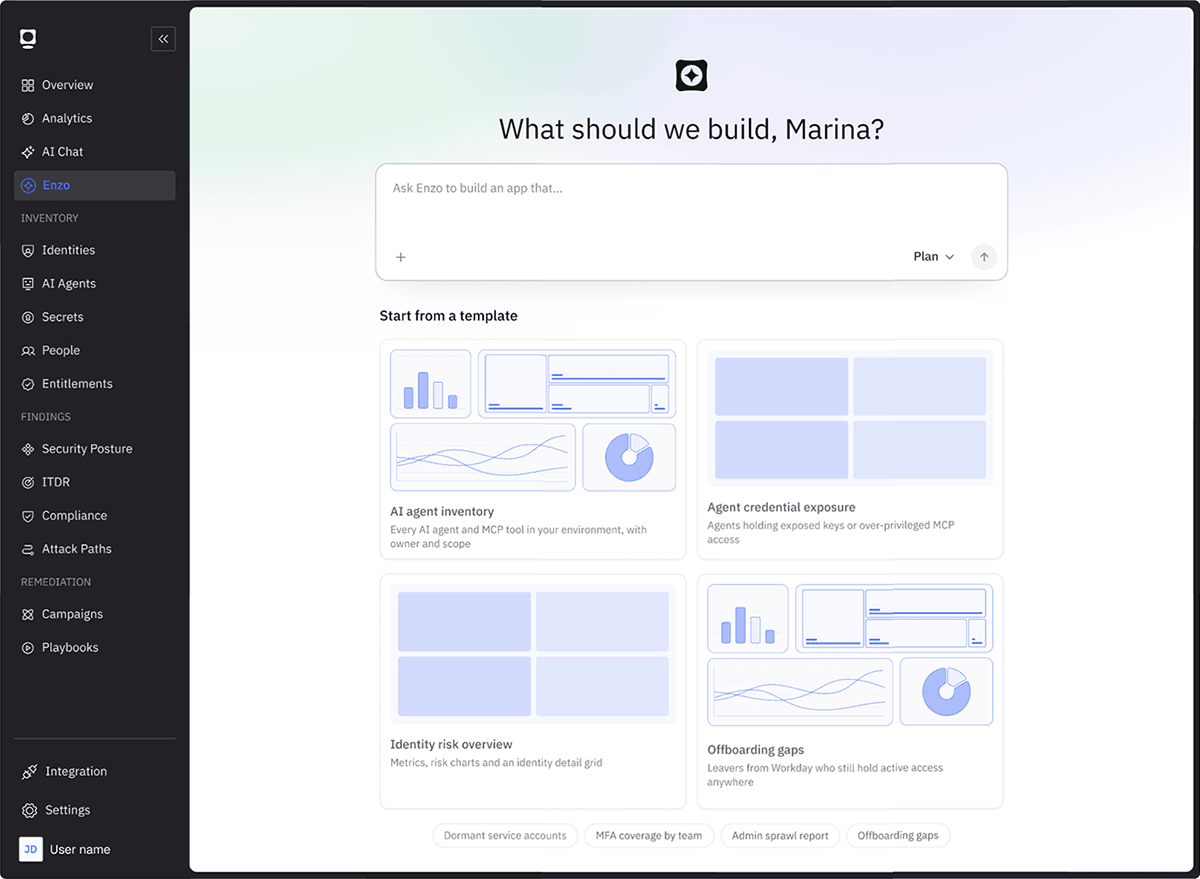
Enzo turns a sentence into a working security app. It was built in, but it looked and behaved like a different product. I redesigned it from scratch on the platform’s own system.
Problem
A builder that felt like a different product
People could build apps, but they struggled to find Enzo and to get back to what they built.
A different UI
Its own look and its own logic, unlike the rest of the platform.
Hard to find
Not connected to the main navigation.
Apps hard to reach
No clear home for apps and no fast way back to them.
Process
How I worked
Use it
Built real apps in Enzo to feel the friction.
Find the gap
Navigation inside the product mattered most.
Rebuild on the system
One design language, designed in Figma.
Place it
Found the right spot in the main navigation.
Decisions
Key decisions
Mostly about navigation: where things live and how fast people get back to them.
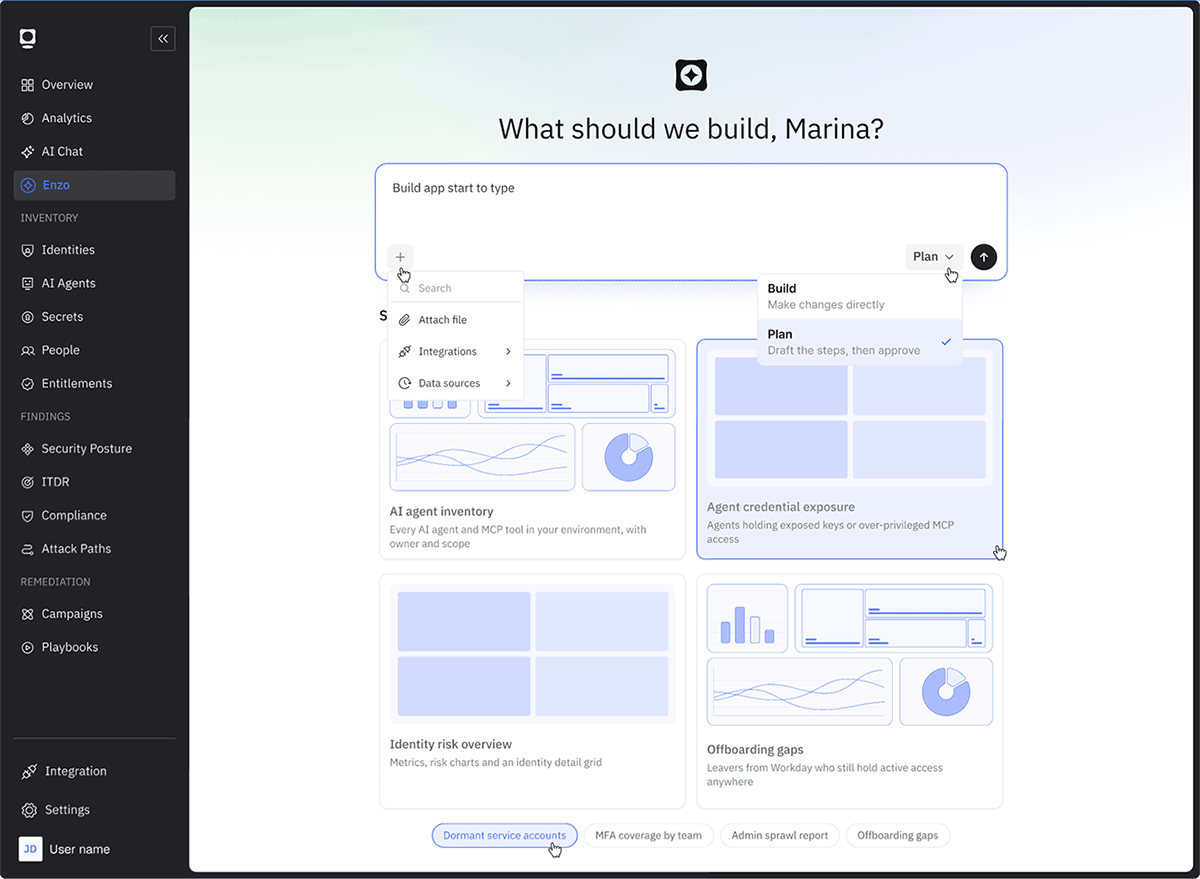
01 · Enzo joins the main navigation
Same rail, spacing and components as the platform. Plan drafts the steps first. Build makes changes directly.
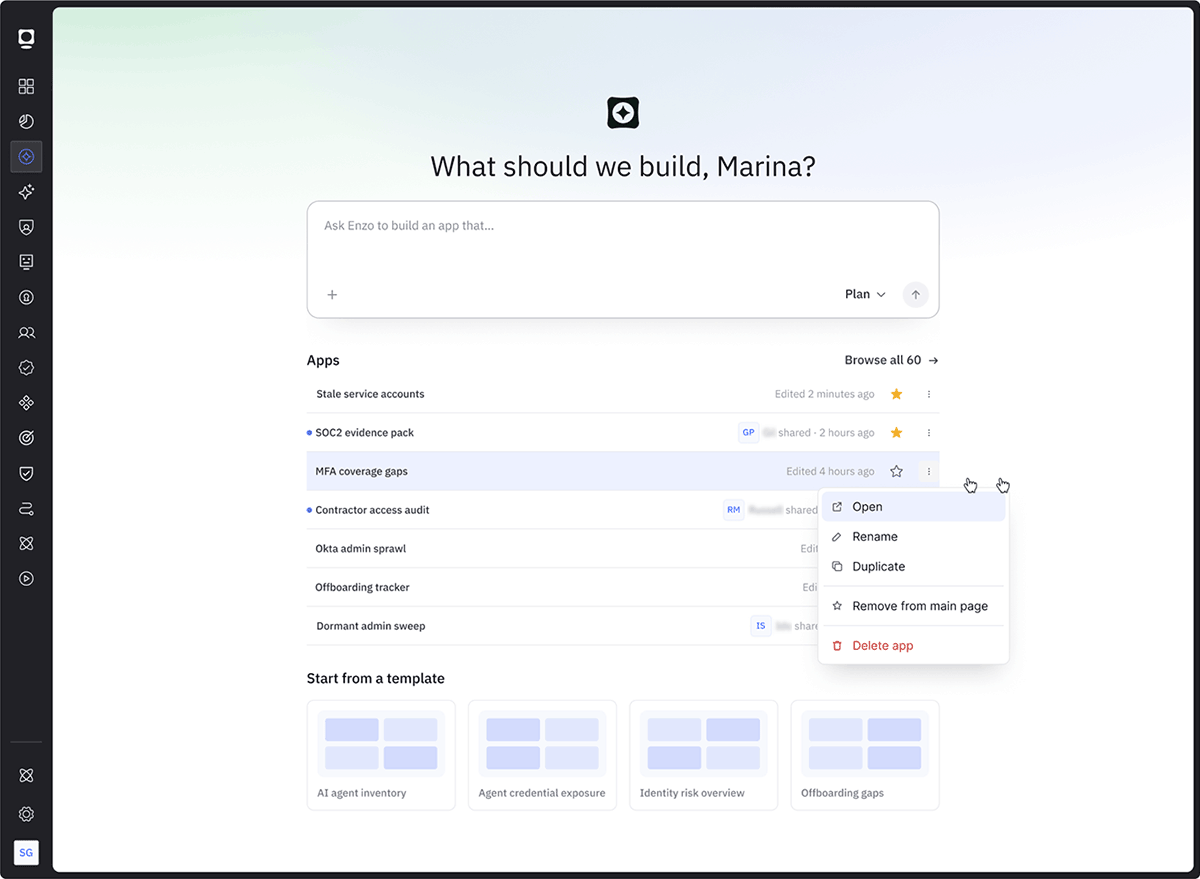
02 · My apps under the prompt
Recent and favorite apps, who shared them and when they changed, one click from the prompt.
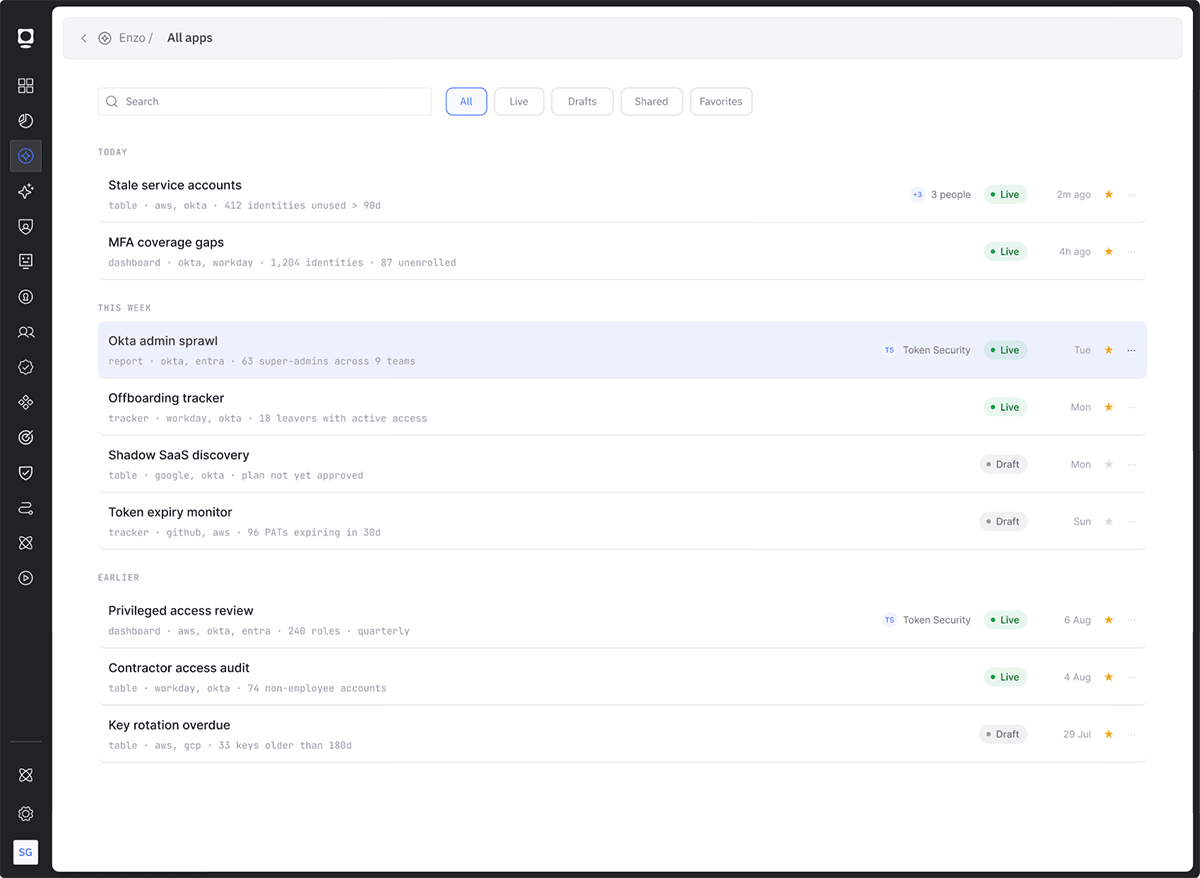
03 · One place for all apps
Grouped by time, with search and filters. I explored both a list and a table.
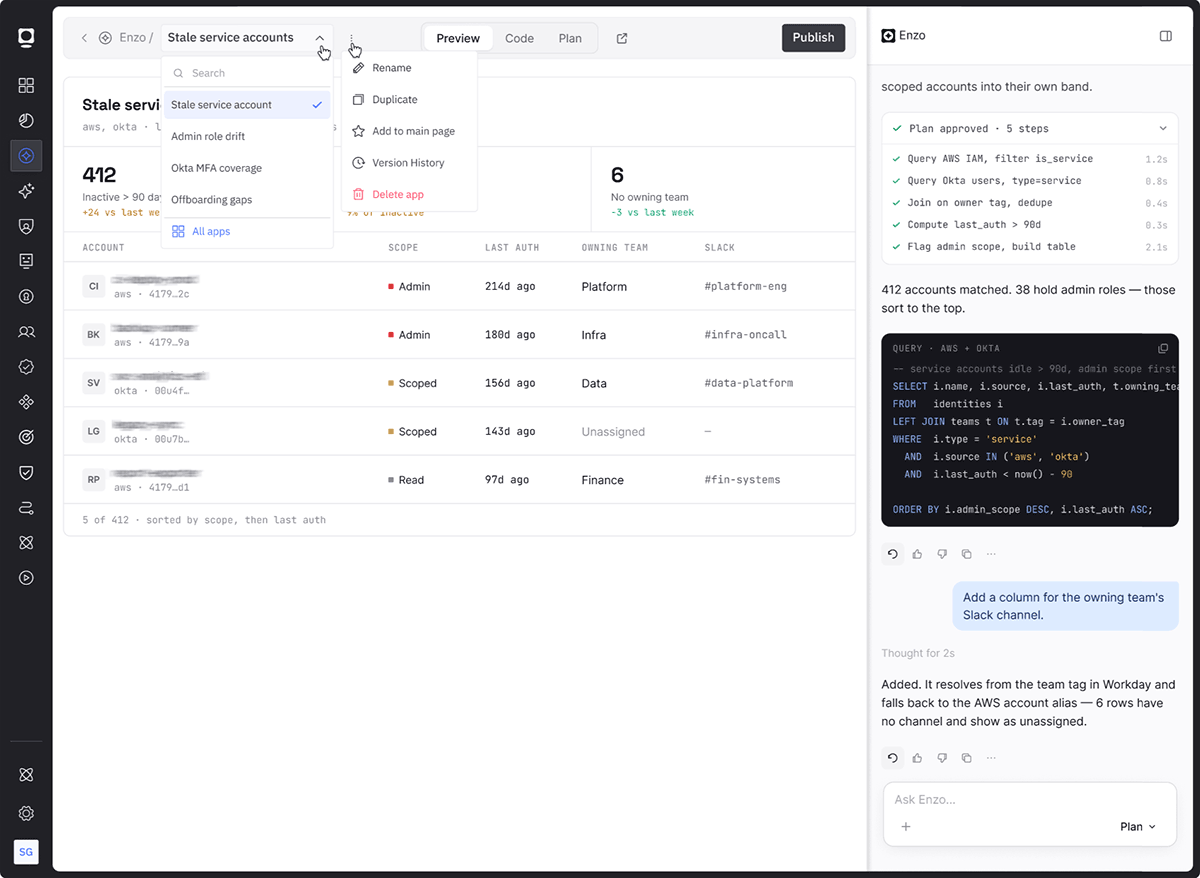
04 · Switch apps without leaving
Breadcrumb, an app switcher with search, and the chat beside the preview.
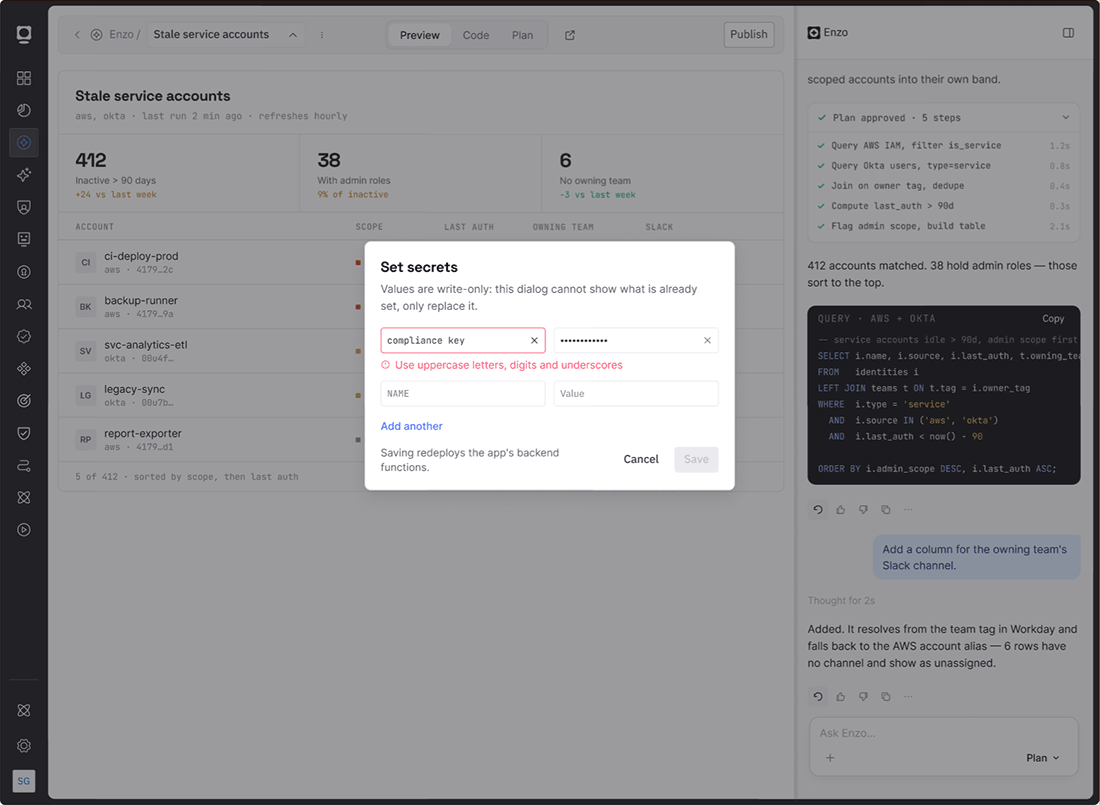
05 · Safe by design
Secrets are write-only. Remediations need approval and are recorded under your name.
Publishing
Publish status you can read at a glance
The button says exactly what will happen. After publishing, the status says what people see.
Unpublished
Pick the audience. The button reads Publish to my apps, to 2 people, or to the company.
Published, in sync
Green dot, time, link to copy, access list and Unpublish.
Changes not live
Amber dot. Teammates see the published version until you Republish.
Version labels
Each version is Ready, Building or Failed.
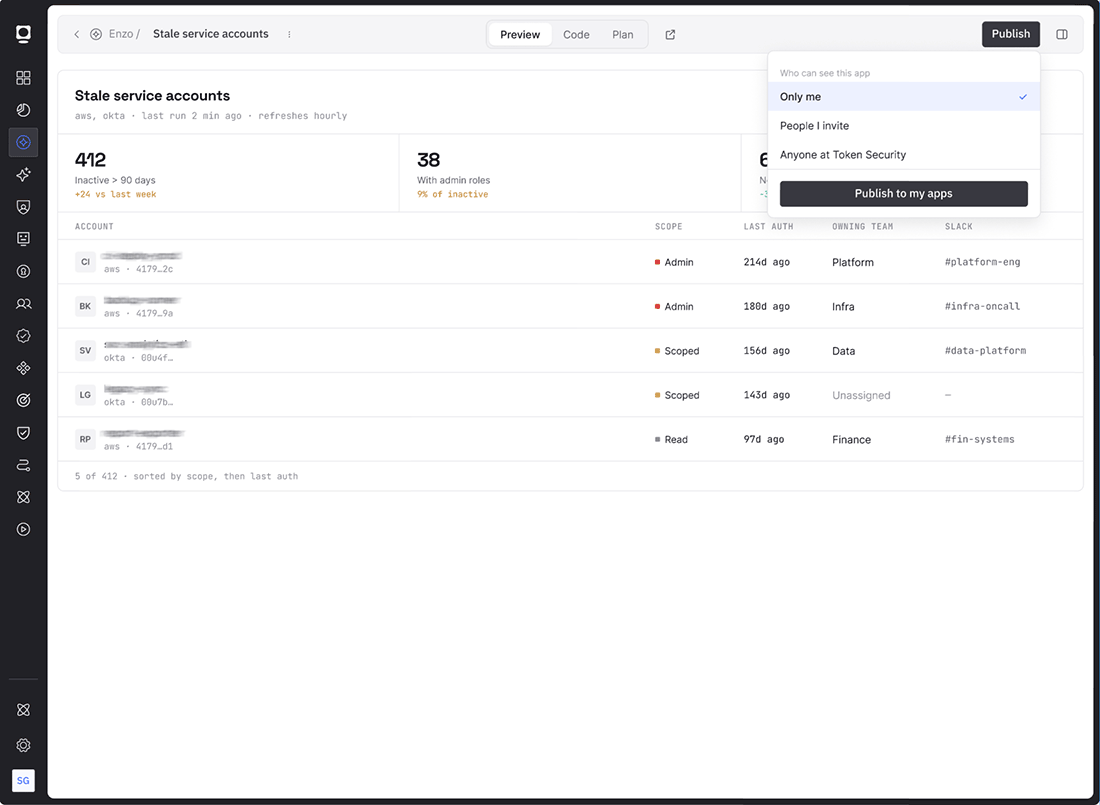
Three audiences
Only me, people I invite, or the whole company.
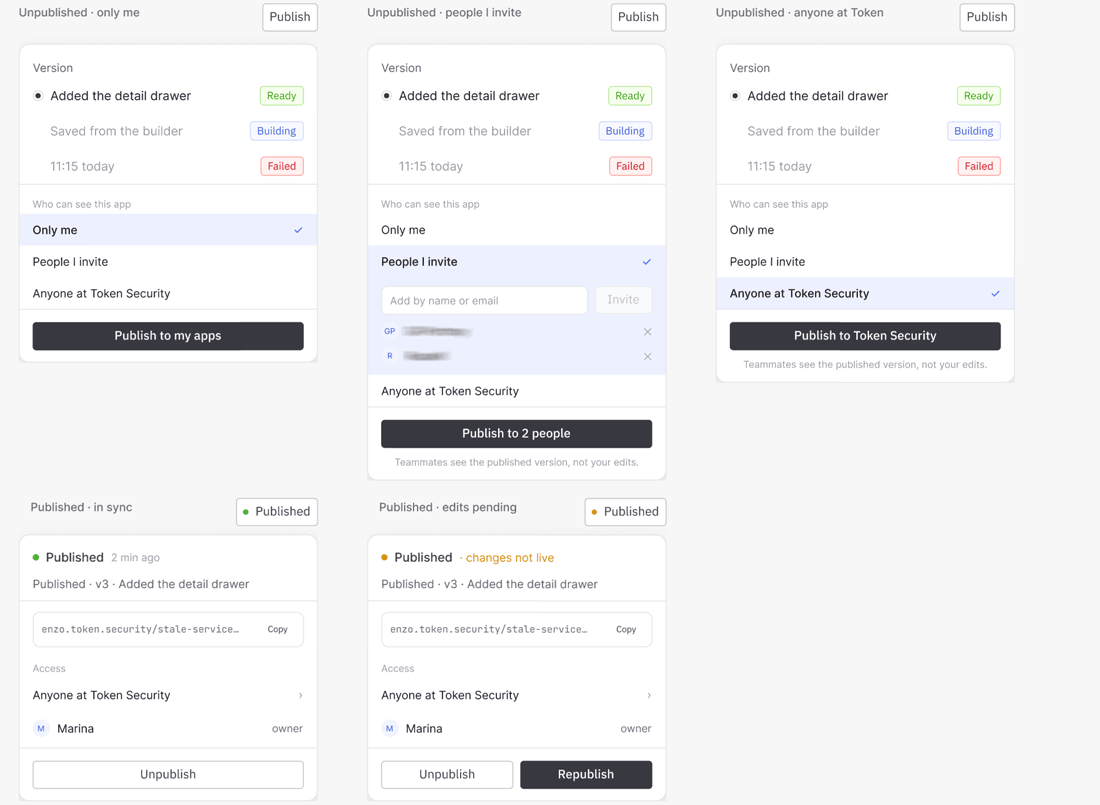
Every state
Unpublished for each audience, published in sync, and published with changes not live.
Components
Built once, reused across Enzo
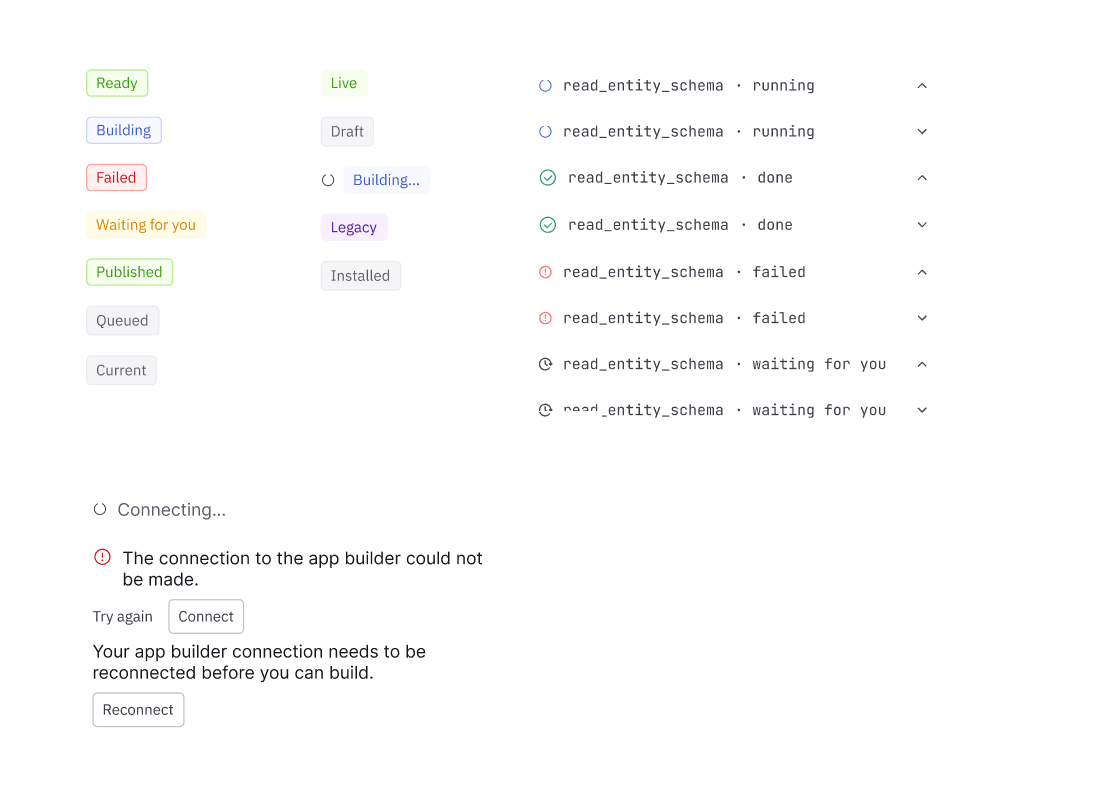
Status chips and steps
One set of labels and colors for versions, apps and build steps.
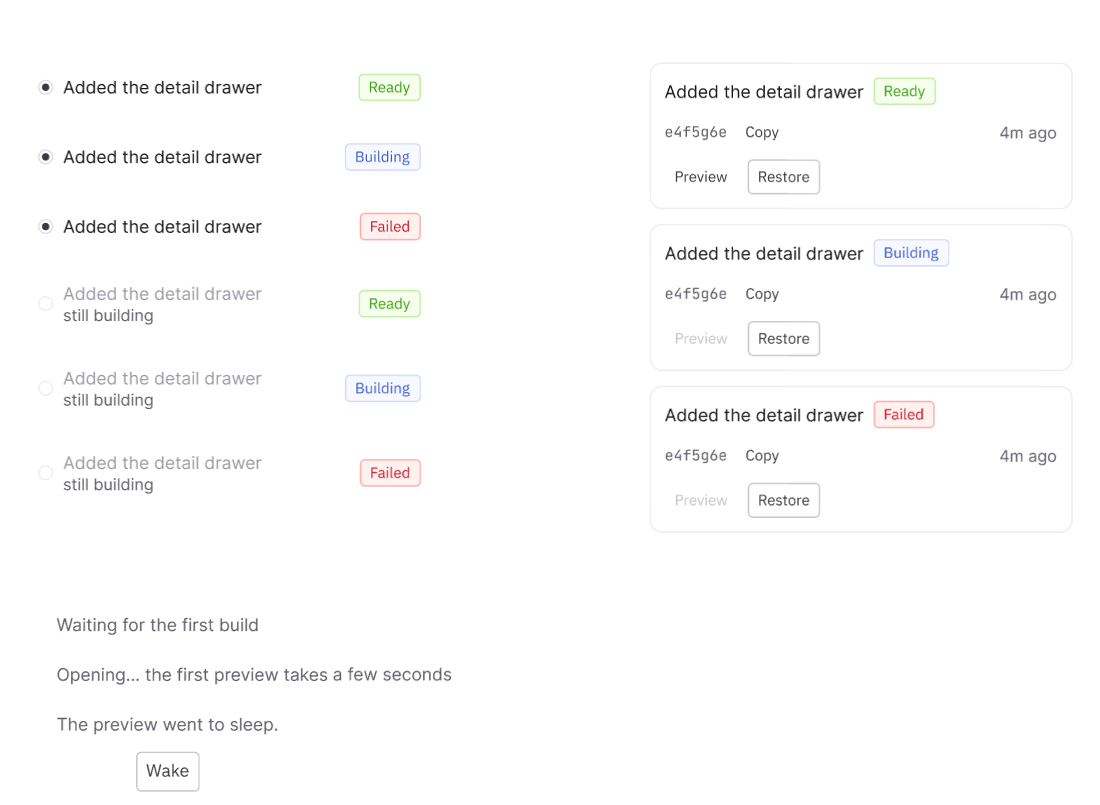
Recovery states
Every failure ends with one clear action, like Retry, Wake or Fix this.
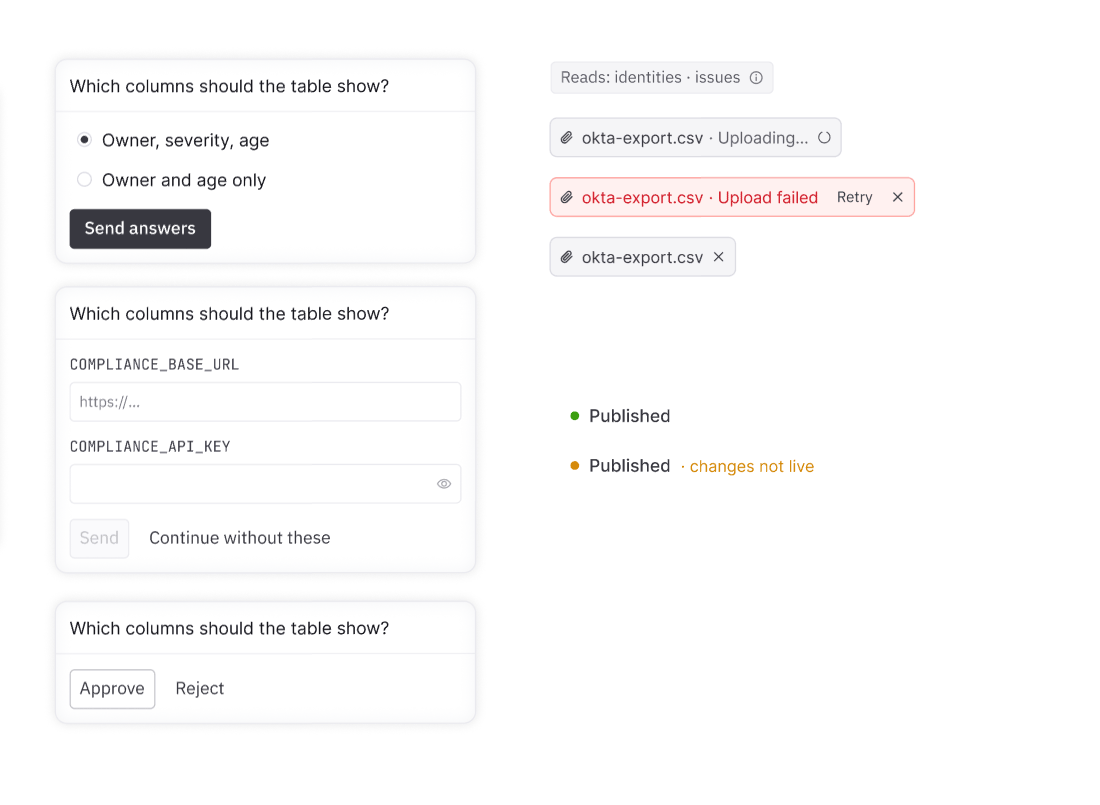
Questions and approvals
Choices, secret fields, and Approve or Reject, right in the conversation.
Result
A much cleaner system that is easy to use
Enzo now reads as one product with the platform around it.
Screens shown with data blurred. Some internal detail is omitted.