Case study · Enterprise monitoring · 2021–24
Unified Agent
Five monitoring tools, five blind spots, and an IT team that only heard about problems once someone complained. This is how one background service — and the deployment UI around it — replaced all of them.
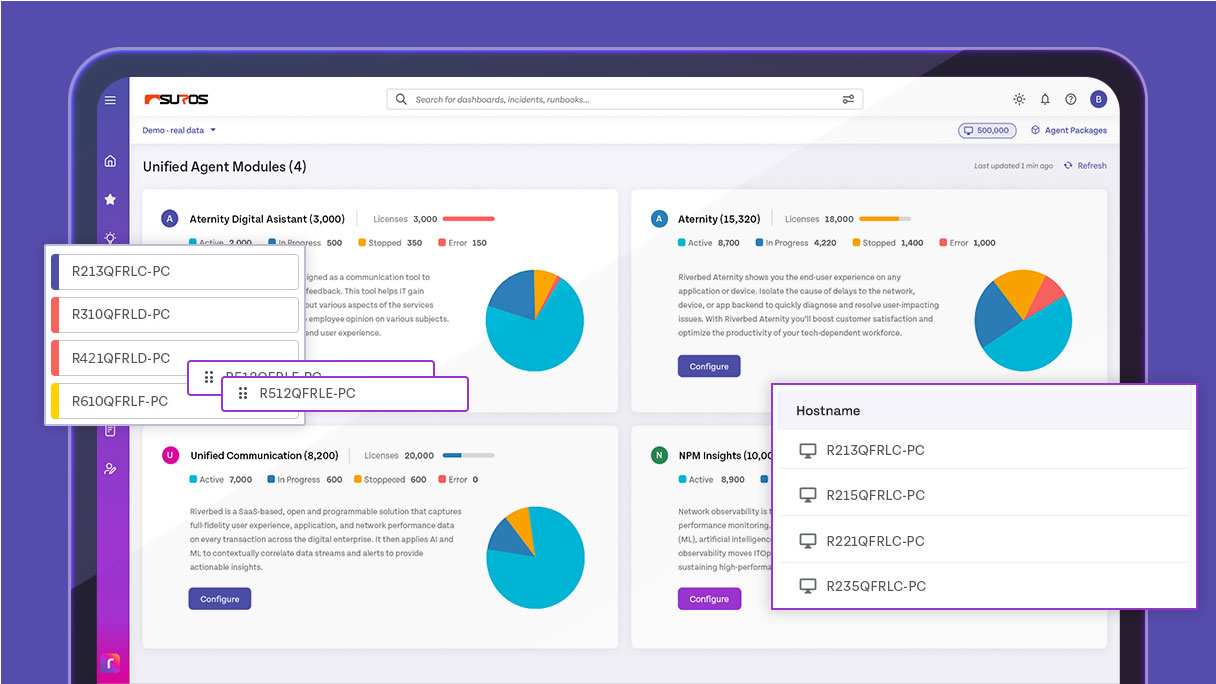
One agent replacing five separate monitoring installs.
Average time from detection to fix, measured post-rollout.
Up from 35% — most problems now surface before a ticket.
Post-launch admin survey score.
Figures reported by the product team post-rollout
The problem
Five tools, and still nobody could answer “is it us?”
The question I started with: why does an IT team with this much monitoring still find out about outages from the help desk?
Every layer had its own tool — device health here, application performance there, network somewhere else. Each was accurate. None of them could be joined up, so the question that actually mattered on a bad morning — is this the laptop, the app, or the network? — took four consoles and an hour to answer.
By then someone had already opened a ticket. Detection wasn’t the gap. Correlation was.
User interviews
Twelve sessions with IT administrators, help desk staff and system engineers across organisations of different sizes.
- 78% were working around siloed tooling
- Needed to see experience, not just uptime
- Wanted issues surfaced before the ticket
Analytics review
Went through existing performance data and behaviour patterns to find where the time actually went.
- 4.2 hours average resolution time
- 65% of issues discovered reactively
- Satisfaction dropped 23% during incidents
Competitive analysis
Reviewed eight competing products to see what the category already assumed, and where it wasn’t looking.
- Most lacked a single unified view
- Setup was uniformly heavy
- Real-time alerting was thin or absent
Consolidating the agents was the easy half. The hard half was that one agent now had to be deployed to every device in the company — at once.
Decisions
What I considered, what I chose, and what made the difference
The question that shaped the rest of the work: how do you let an admin roll out to 40,000 devices without asking them to trust it blindly?
One release channel — everyone gets the update at the same time.
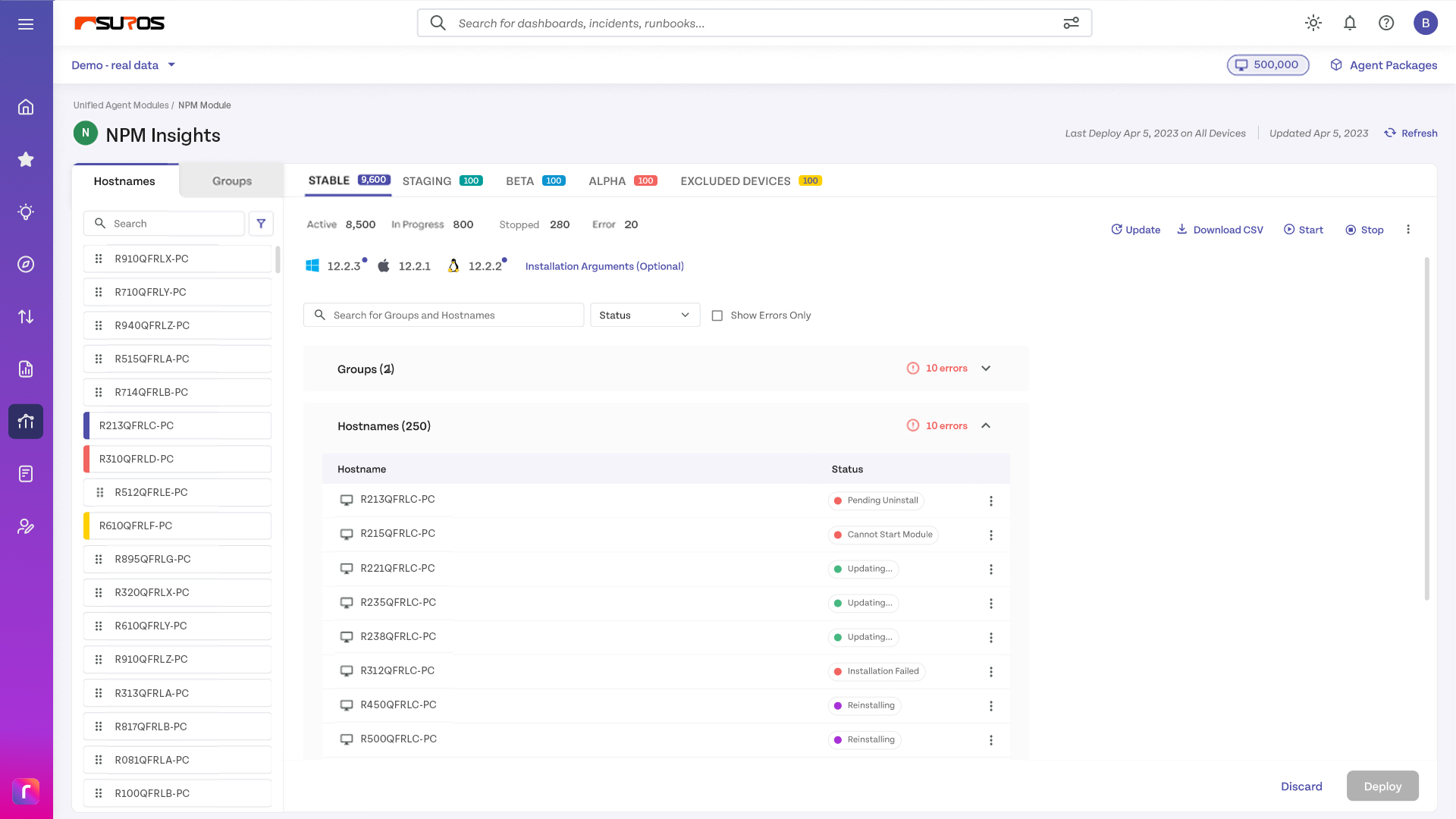
Tiered channels — Stable, Staging, Beta, Alpha, Excluded — with devices assigned per group.
Nobody ships an agent to their whole estate on day one. The tiers let an admin prove a version on their own devices first, and keep a permanent exclusion list for machines that must never be touched.
Automatic grouping only — the system sorts by OS, location and device type.
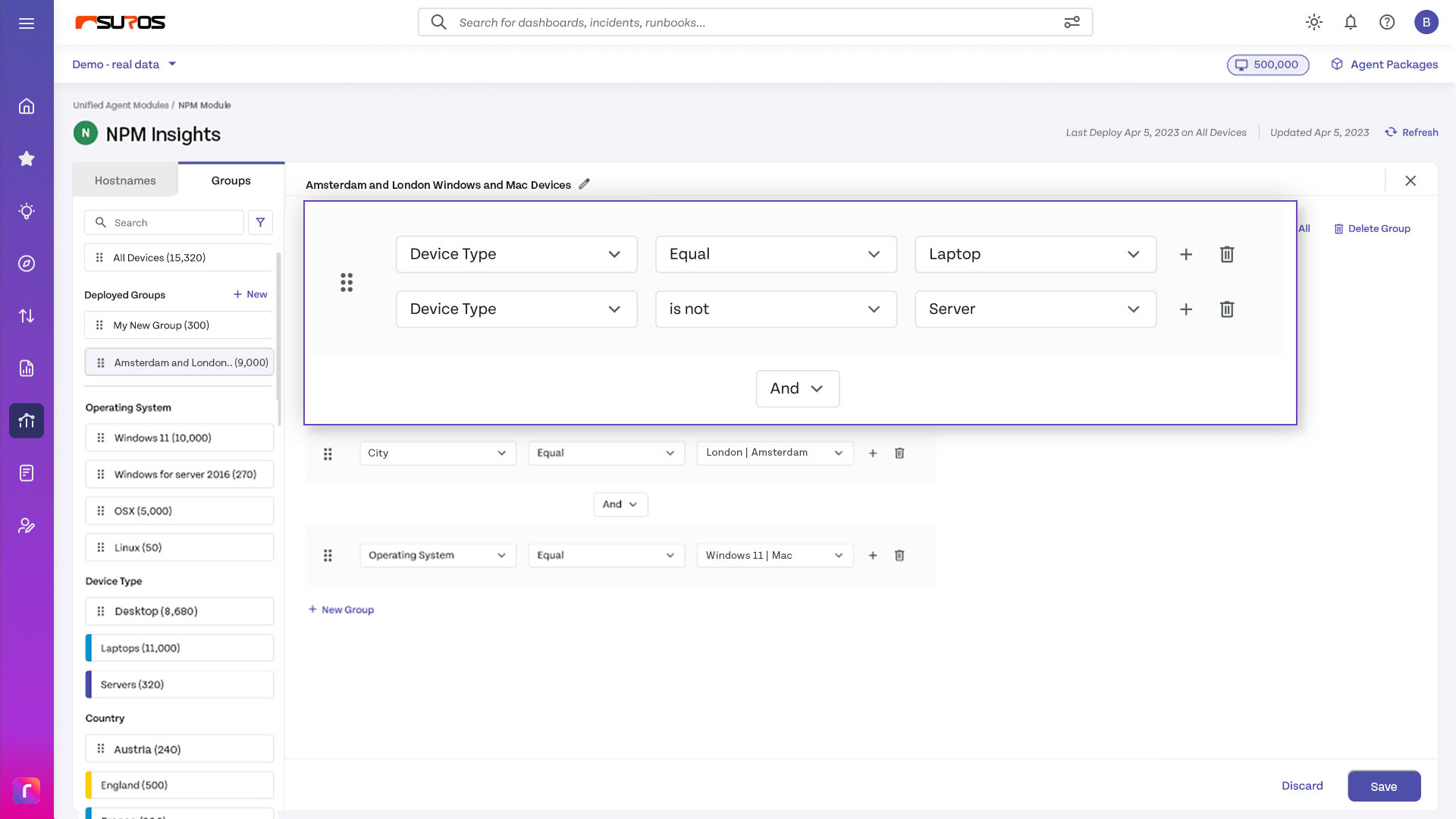
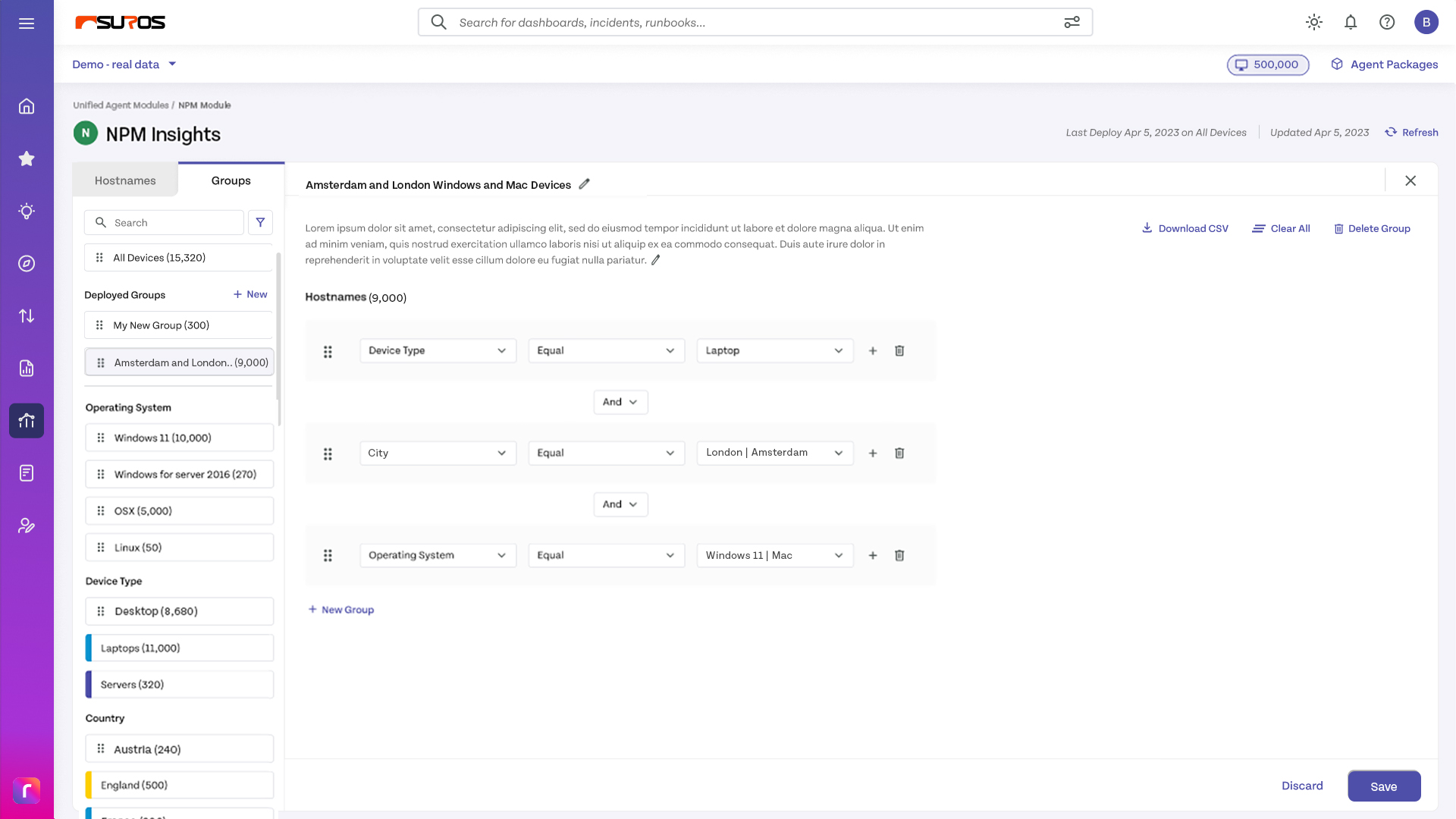
Automatic grouping as the default, plus custom groups built from attribute operators.
Automatic groups match how devices are, not how the organisation is run. The groups that mattered — “trading floor”, “kiosks in stores” — only exist in the admin’s head until they can express them.
A settings table listing which group maps to which channel.
Colour-coded device chips, so the mapping is visible at a glance rather than read row by row.
The risk isn’t misreading one row — it’s not noticing that a group landed in the wrong tier. Colour makes the mistake visible before deploy, not after.
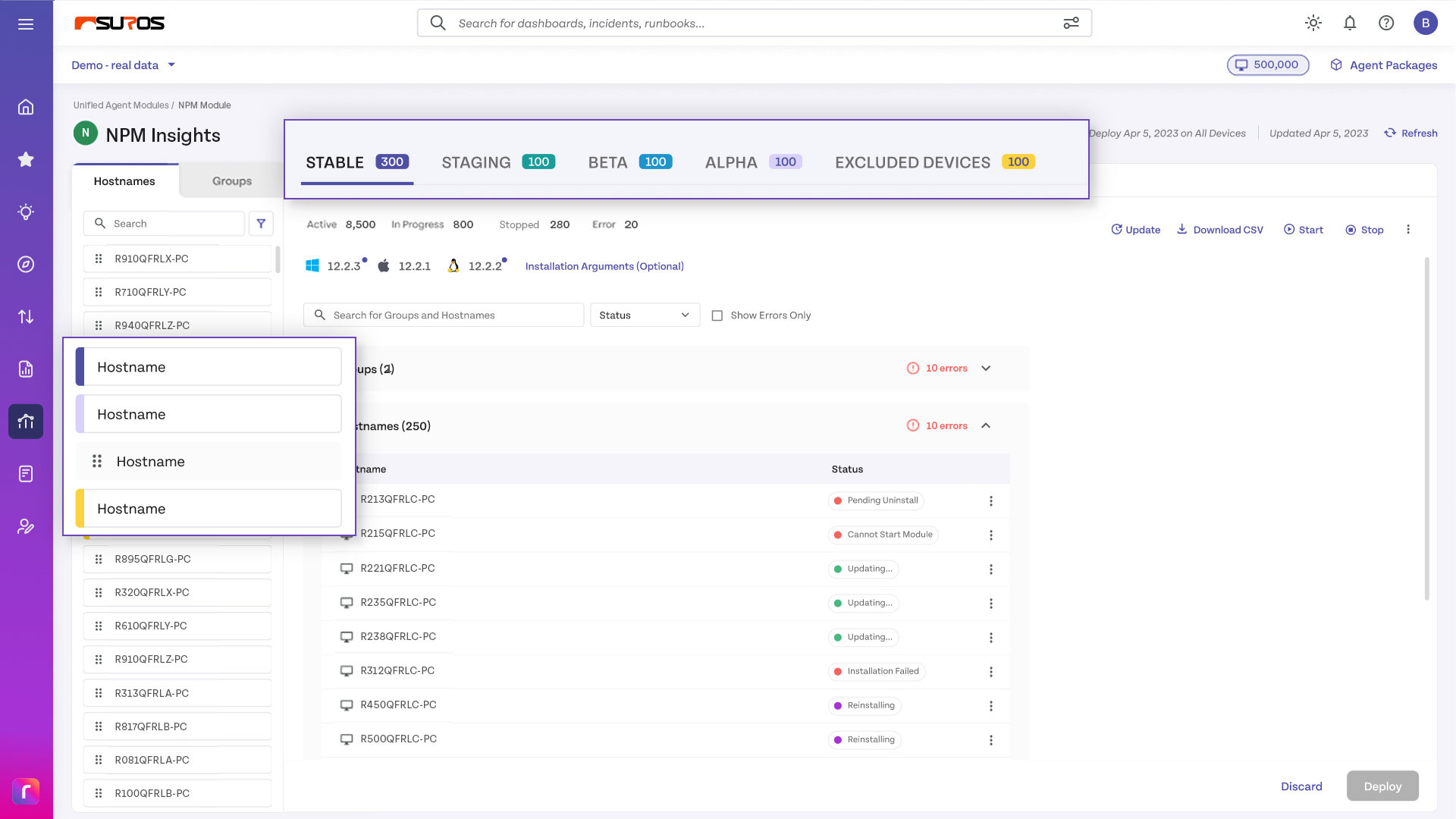
Colour wasn’t decoration. It was the only way a mis-assigned group announces itself before the deploy button.
The flow
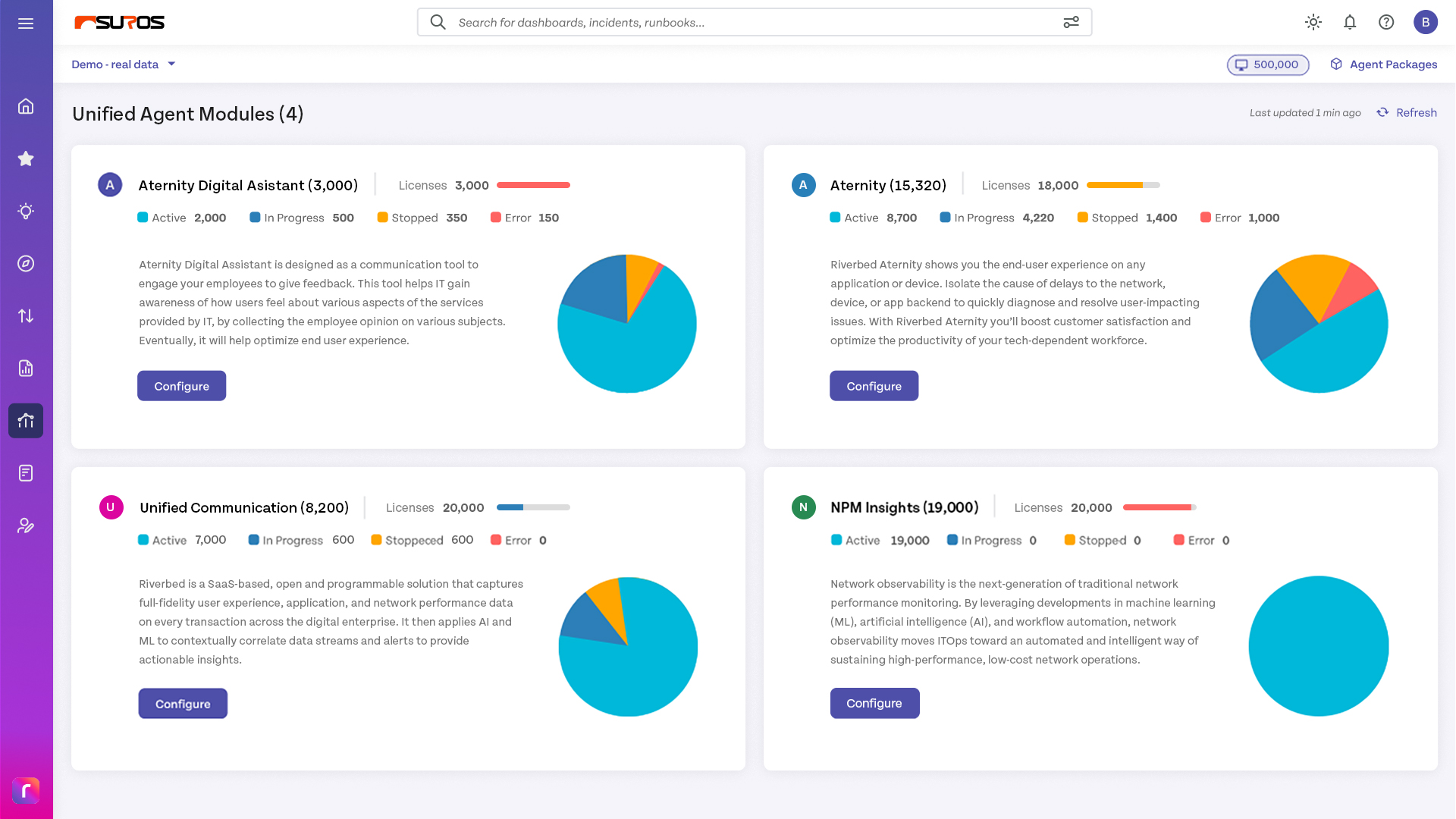
From “what’s installed” to “it’s deployed”
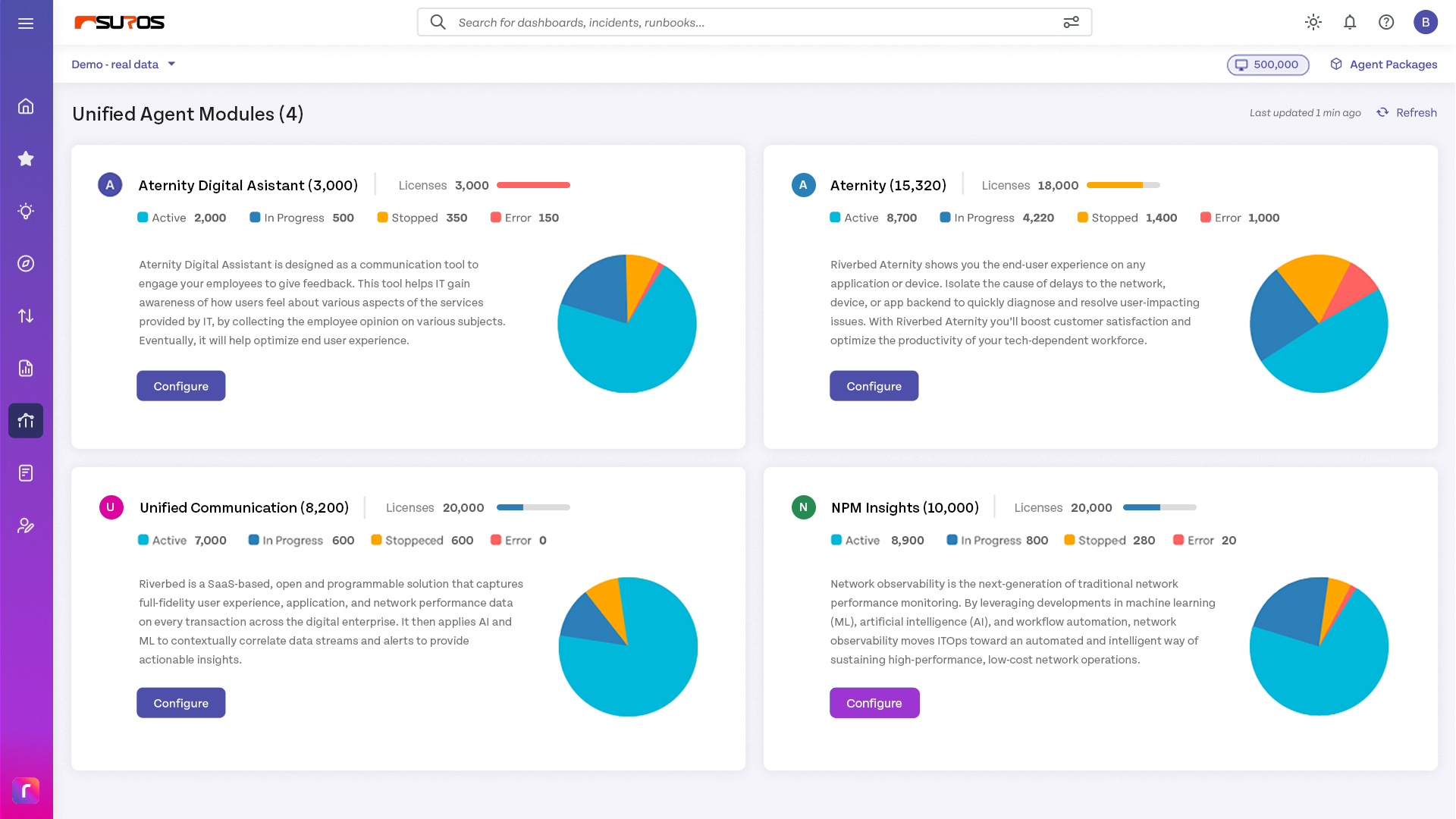
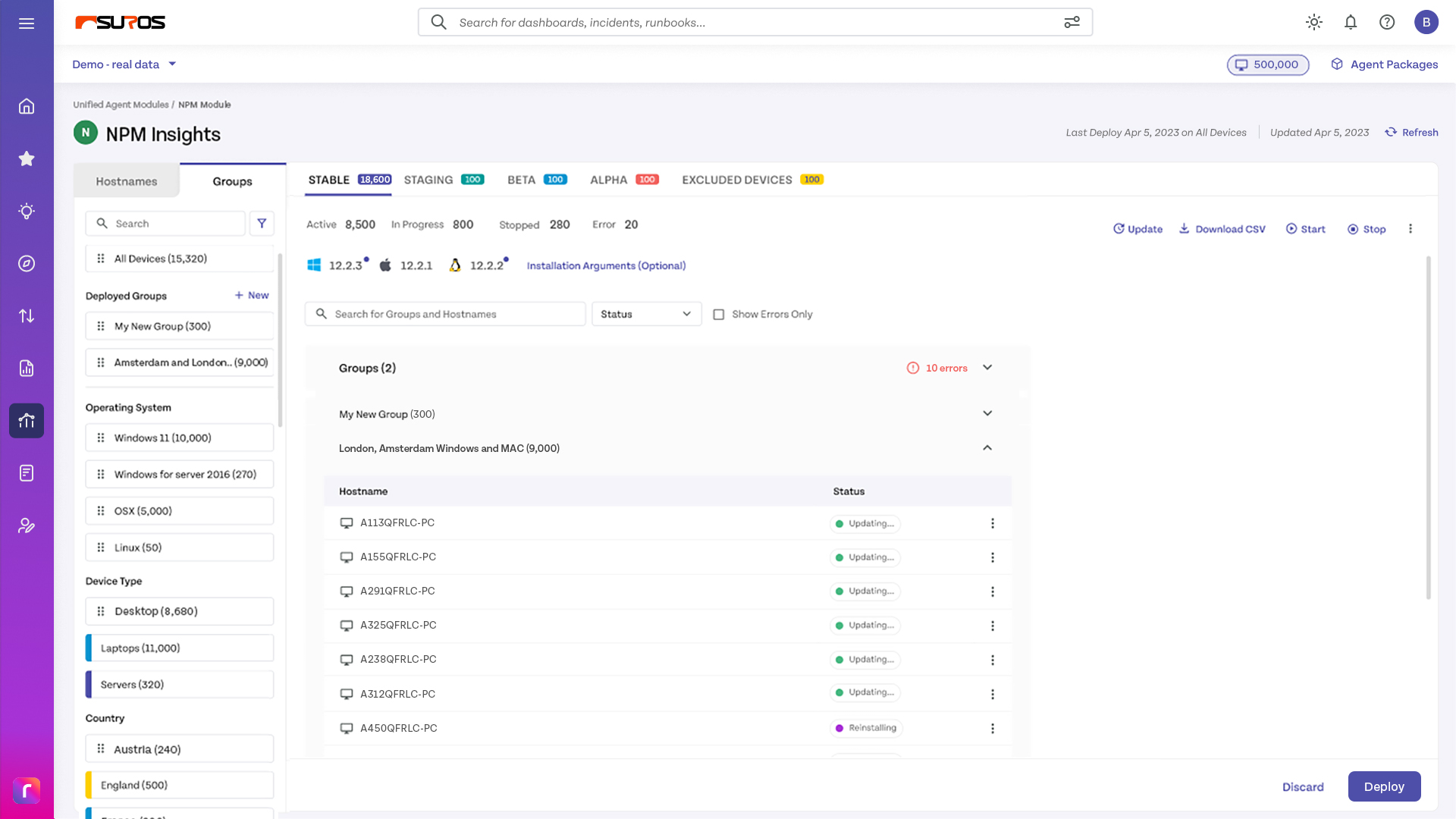
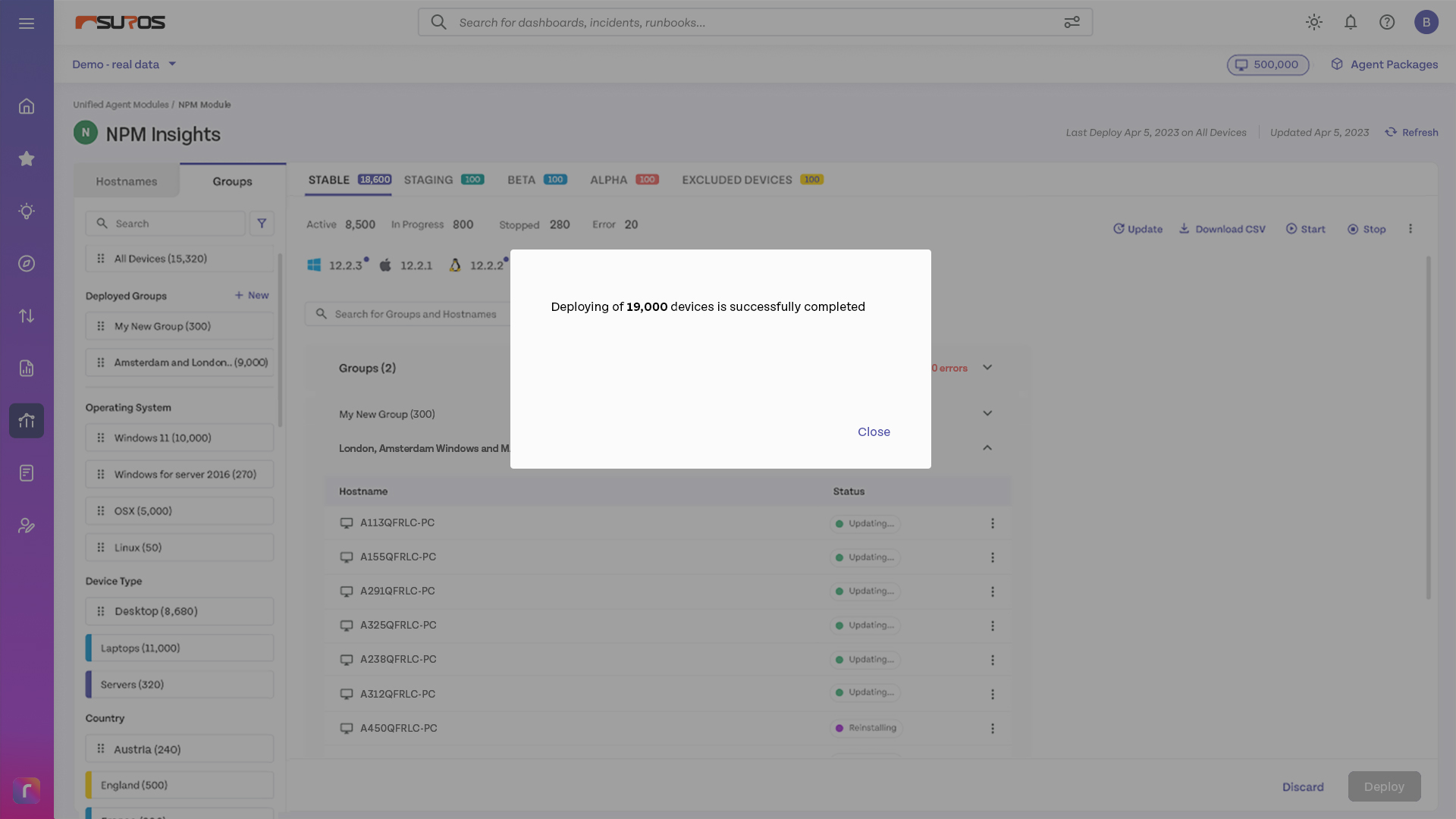
Four moments, in the order an admin actually hits them.
Takeaways
What I took from it
Priorities are a design surface
Release channels look like an engineering concern until you realise the tiering is the admin’s risk model. Designing the priority system meant designing how cautious someone is allowed to be.
Operators need a grammar, not a form
Custom group building is where most admin tools get brittle. Getting drag-and-drop, deletion and inline errors right mattered more than adding operators.
Deployment is a design problem
The interesting work wasn’t the dashboard. It was the sequence between “I want this” and “it’s on 40,000 machines” — and every place in that sequence where someone needs to be able to stop.
Consistency needed a system
This project is where I started researching design systems seriously — six screens in, the same component had drifted three ways.
What I’d do differently
I designed the deployment flow before the failure states. But a rollout to 40,000 devices partially fails as a matter of routine, and the screens for that arrived late. Next time I’d design the partial failure first and let the happy path inherit from it.